
Document Control Problems That Excel Cannot Solve
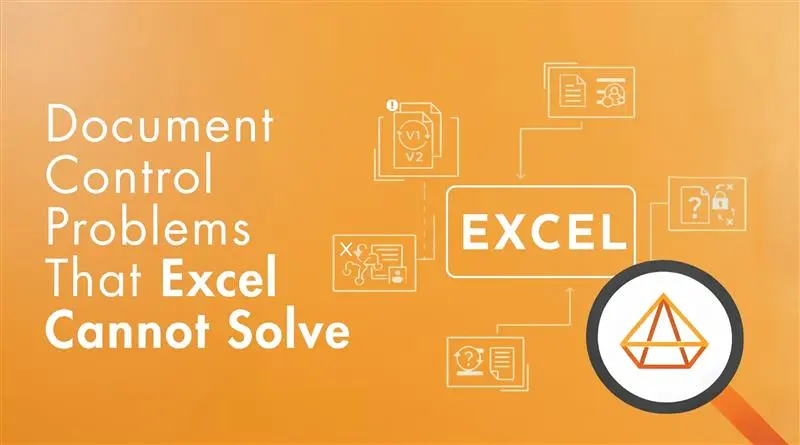
Excel continues to be one of the most widely used tools for managing documents in growing organisations. It is familiar, flexible and readily available, which makes document control using Excel feel practical and efficient, especially in the early stages of operations.
In many cases, teams genuinely try to make spreadsheets work. File naming conventions are defined, folders are structured and version logs are maintained manually. The issue is rarely negligence or lack of effort. The issue is that Excel is being stretched beyond what it was designed to do.
As organisations grow, audit scrutiny increases and multiple teams begin interacting with controlled documents, the Excel document control limitations become structural rather than procedural. Problems start appearing even when spreadsheets are carefully managed. This blog examines the document control problems that Excel cannot solve, regardless of how disciplined the process appears on the surface.
Version Control Breaks Down in Real Working Environments
In Excel-based setups, multiple versions of the same document gradually begin to circulate. Files are downloaded for edits, shared via email, saved locally and uploaded again. Over time, teams stop questioning which version is correct and start working with what is available.
This becomes highly visible during audits. Teams spend time validating whether the document presented is the approved version or simply the latest copy someone accessed. The discussion shifts from compliance evidence to document archaeology.
Excel cannot enforce a single active version. It relies entirely on manual updates, naming discipline and user behaviour. These are inherent spreadsheet document control risks, not gaps in training or awareness.
The business impact includes rework, audit findings and a loss of confidence in documented information, even when the underlying work is sound.
Access Control Is Based on Convenience, Not Governance
Access-related issues often emerge quietly. To avoid delays, documents are shared broadly. Temporary access becomes permanent. When a key person is unavailable, files are unlocked or copied elsewhere to keep work moving.
Excel offers limited, static permission controls that are disconnected from document status or responsibility. It cannot enforce role-based access in line with approval or revision stages, which is a core spreadsheet document control risk.
As a result, organisations face unauthorised changes, delays in approvals and audit exposure when actual access does not align with defined authority.
Approval Evidence Is Fragmented and Difficult to Demonstrate
In many organisations, approvals exist outside the document itself. Email confirmations, comments, or verbal sign-offs are treated as approval evidence. While this may work operationally, it becomes fragile under audit scrutiny.
When auditors request approval records, teams reconstruct history by searching inboxes and cross-referencing spreadsheets under time pressure. Even when approvals were completed, demonstrating them clearly becomes difficult.
Excel can record data, but it cannot enforce approval workflows or preserve immutable approval trails. This limitation is a direct outcome of document control using Excel for governance purposes.
The consequence is weakened audit confidence and increased corrective actions, despite good intent and effort.

Change Impact Across Documents Is Not Visible
When a controlled document changes, its impact on related procedures, formats, or records is rarely visible. Teams update files independently, unaware of dependencies elsewhere in the document set.
Excel does not understand relationships between documents. There is no built-in mechanism to identify downstream impact or prompt related updates, making this another unavoidable spreadsheet document control risk.
This leads to inconsistent execution, outdated references, and audit observations highlighting gaps between documented processes and actual practice.
Document Retrieval Fails Under Audit and Time Pressure
During audits, management reviews, or incident investigations, teams often struggle to locate the correct document quickly and confidently. Files exist, but certainty does not.
Search relies on naming accuracy, folder memory, and individual knowledge. As repositories grow, the Excel document control limitations become more pronounced.
Delays in retrieval signal weak control maturity to auditors and stakeholders, even when documentation technically exists.
Why These Problems Persist Even with Well-Managed Excel Files?
Many organisations attempt to address these issues through stricter SOPs, tighter naming rules, and stronger discipline. While these measures may slow the rate of failure, they do not remove the underlying risk.
Excel depends on people to enforce control. As teams expand, audits increase, and cross-functional collaboration grows, the Excel document control limitations scale faster than manual governance can manage.
At this stage, document control failures are no longer accidental. They are predictable outcomes of using a tracking tool as a control system.
When Organisations Move Beyond Excel
Organisations typically move beyond Excel when audit preparation begins consuming more effort than operational improvement. This shift is not driven by software trends, but by the recognition that discipline alone cannot guarantee control. This is why document control software exists as a category. These systems are designed to enforce version integrity, access governance, approval traceability, and audit readiness by default.
Within broader quality management system software, document control becomes part of an integrated compliance framework rather than a standalone administrative task. Control logic is embedded into workflows, reducing reliance on manual checks. Modern QMS software environments change how organisations manage risk by design, not by instruction.
Excel is not a poor tool. It is simply the wrong tool once document control becomes a governance and compliance requirement rather than an administrative exercise.
The challenges organisations experience are not isolated failures. They are predictable outcomes of scale, audit pressure, and operational complexity. Recognising the limits of Excel is often the first step toward regaining control, consistency, and audit confidence
How Pyraman Addresses the Document Control Problems Excel Cannot Solve
As organisations move beyond spreadsheets, document control shifts from file management to governance. Control must be demonstrated through consistent system behaviour, not individual discipline.
Pyraman addresses this gap by embedding document control rules directly into structured workflows. Documents are created, reviewed, approved, accessed, revised, and withdrawn within a controlled environment where requirements are enforced by design.
Approvals cannot be bypassed, obsolete documents cannot re-enter use, and access is governed by defined responsibility rather than convenience. This reflects how document control is evaluated during audits, where effectiveness is assessed through traceable controls and system reliability.
By reducing reliance on manual oversight, Pyraman helps organisations maintain version integrity, access control and approval traceability at scale, restoring audit confidence and operational clarity as complexity increases.
Frequently Asked Questions
- Why is Excel not suitable for document control in audits?
Excel is not designed to enforce document control requirements such as version integrity, approval traceability, and role-based access. During audits, control must be demonstrated through system behaviour. Excel relies on manual discipline, which auditors view as a risk rather than a control.
- What are the main risks of using Excel for document control?
Key risks include version confusion, unauthorised access, missing approval evidence, poor document retrieval during audits, and lack of visibility into document change impact. These are inherent spreadsheet document control risks, not process failures.
- Why do document control problems persist even with strict Excel discipline?
Because Excel depends on people to enforce rules rather than enforcing them itself. As scale and complexity increase, manual governance cannot reliably prevent deviations, making failures predictable rather than accidental.
- How does system-based document control differ from Excel?
System-based document control enforces rules by design. Version control, approvals, access rights, and obsolescence are built into workflows rather than managed manually. This allows organisations to demonstrate control consistently during audits.
- What problem does Pyraman solve in Excel-based document control?
Pyraman addresses the document control problems Excel cannot solve by embedding governance logic into workflows. It ensures version integrity, approval traceability, controlled access, and reliable audit evidence without reliance on manual enforcement.


Start Your Free 30-Day eQMS Trial
Get full access to Pyraman eQMS for 30 days, free. No commitment, just hands-on document control, audits, and compliance management.
