
Digital Risk Registers vs Excel Risk Registers: Which Is Better for Compliance?
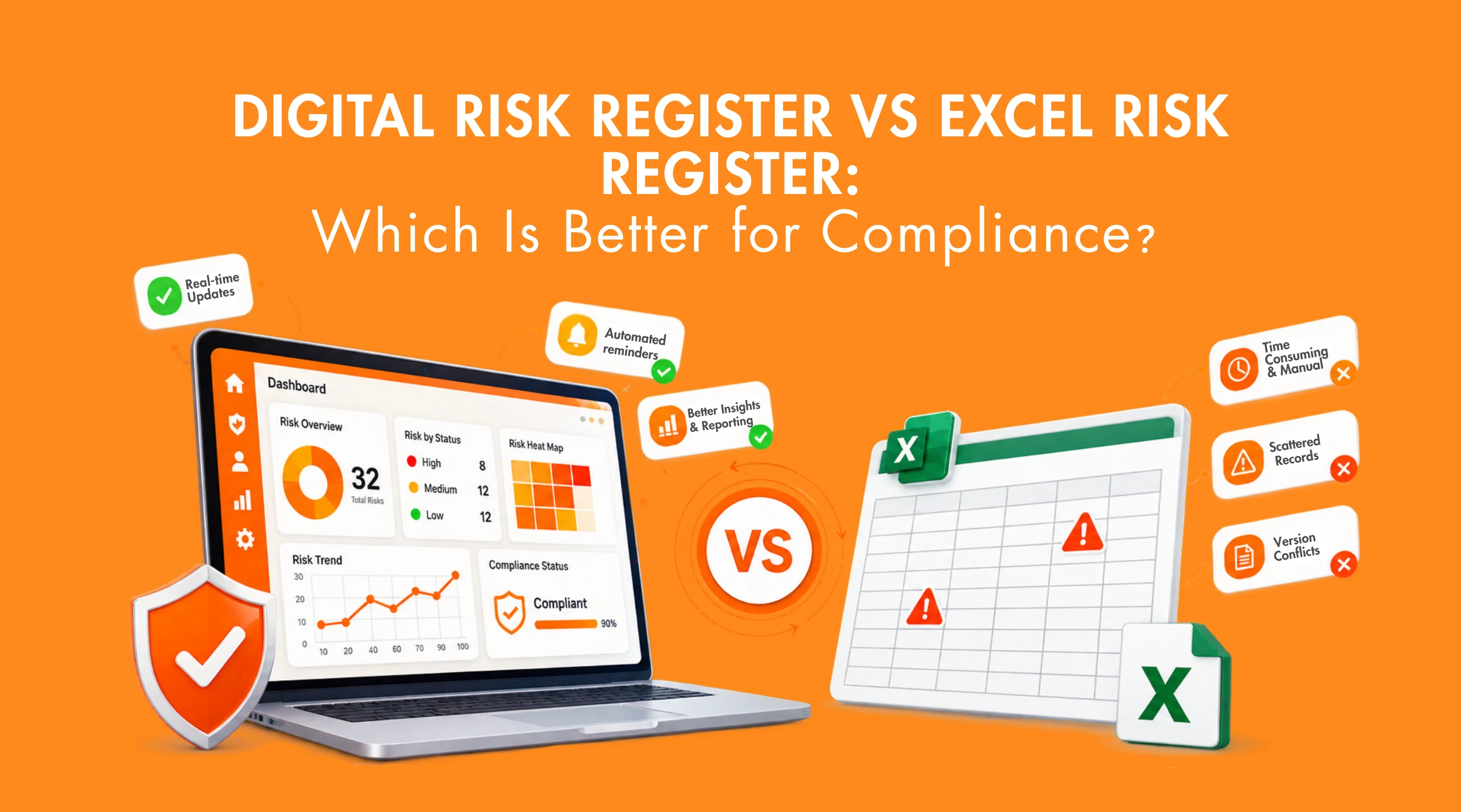
Risk registers are widely used to document business, operational, quality, safety and compliance risks. Many organisations start with Excel because it is familiar and easy to set up. But as the number of risks, departments, owners and review requirements increases, a spreadsheet can become difficult to manage consistently.
The challenge is not simply recording risks. Teams also need to keep assessments current, assign ownership, follow up on mitigation actions, complete scheduled reviews and maintain supporting evidence. When these activities depend heavily on manual updates and follow-ups, gaps in monitoring and traceability can occur.
A digital risk register provides a more structured way to manage this information. It can centralise risk records, support ownership and action tracking, provide review reminders, improve monitoring and make risk history easier to trace.
So, when does a digital risk register become a better choice than Excel for compliance? This blog compares both approaches and explains where digital risk management provides greater control, visibility and scalability.
What Is a Risk Register?
A risk register is a structured record of the risks identified by an organisation and the information needed to assess, control, assign and monitor them. It typically captures the risk description and category, likelihood and impact, risk rating, existing controls, risk owner, mitigation actions, review date, status and residual risk.
The exact structure varies by industry and risk methodology. A manufacturing company may focus on operational, quality, environmental, or safety risks, while a laboratory may consider testing processes, equipment, competence and regulatory requirements.
What Is the Purpose of a Risk Register?
The purpose of a risk register is to provide a structured way to identify, assess, assign, treat and monitor risks.
It helps an organisation:
- Establish visibility of significant risks.
- Prioritise risks according to their potential impact and likelihood.
- Document existing controls.
- Assign responsibility to risk owners.
- Track mitigation and treatment actions.
- Review whether risk levels have changed.
- Provide documented information for management review and audits.
- Support more consistent risk-based decision-making.
A useful risk register therefore supports the entire compliance risk management process, rather than simply documenting risks once and leaving them untouched.
How an Excel Risk Register Works
An Excel risk register is usually built around a table containing risk information in rows and assessment criteria in columns.
A simple workflow might look like this:
Identify the risk → Enter the risk in Excel → Assess likelihood and impact → Calculate the risk rating → Record controls → Assign an owner → Track actions → Review periodically
For a small organisation, this can be practical.
For example, a department may have 15 identified risks, two people responsible for maintaining the register and a quarterly review process. A well-designed spreadsheet may provide everything the team needs.
Excel also offers useful advantages:
- Low initial cost
- Familiar interface
- Easy data entry
- Flexible formatting
- Customisable calculations
- Simple filtering and sorting
- Quick setup without software implementation
The problem is not Excel itself. The problem occurs when the organisation’s risk management requirements become more complex than a spreadsheet can comfortably support.
Where Excel Risk Registers Start Creating Compliance Challenges
A spreadsheet can record risk information effectively. The bigger question is whether it can help an organisation control and manage the risk information over time.
Several challenges tend to appear as the register grows.
1. Manual Updates Can Make Risk Information Outdated
Risk information changes. A control may be introduced. A process may change. A risk rating may increase or decrease. A mitigation action may be completed. A new compliance requirement may affect an existing risk. With Excel, someone needs to identify the change and update the relevant information.
If updates are delayed, the spreadsheet may still contain the previous risk position even though the actual situation has changed. This creates a basic compliance problem: the documented risk position may no longer reflect the current risk position.
2. Version Control Becomes Difficult
A risk register maintained by one person is relatively straightforward. The situation becomes more complicated when several people have copies of the same spreadsheet.
You may eventually have:
- Risk_Register.xlsx
- Risk_Register_Final.xlsx
- Risk_Register_Final_Updated.xlsx
- Risk_Register_July.xlsx
The names are only a symptom of a larger problem: which version is actually the controlled and current record?
Even when an organisation uses shared storage, maintaining clear ownership, permissions, change history and controlled updates can require additional processes. For compliance purposes, knowing the current version matters because decisions and audit evidence need to be based on reliable information.
3. Risk Ownership Depends Heavily on Manual Follow-Up
An Excel cell can show:
Risk Owner: Production Manager
and:
Action Due Date: 30 September
But the spreadsheet itself does not necessarily ensure that the owner completes the action on time. Someone still needs to monitor the due date, contact the responsible person, update the status and escalate the issue if necessary. As the number of risks increases, this manual follow-up becomes increasingly difficult.
4. Risk Reviews Can Be Missed
Risk registers are useful only when they remain relevant. An organisation may define monthly, quarterly or event-based reviews. But if review dates are maintained only as spreadsheet fields, the process still depends on people remembering to check them.
This can lead to:
- Overdue reviews
- Outdated assessments
- Unchanged risk ratings despite process changes
- Delayed mitigation actions
- Incomplete review records
The issue is not simply recording a review date; it is ensuring that reviews happen on time and the results are properly tracked.
5. Supporting Evidence Can Become Scattered
A risk may be connected to:
- A procedure
- An audit finding
- A corrective action
- A legal requirement
- An incident
- A meeting decision
- A monitoring record
- A control or mitigation activity
In a spreadsheet-based system, these records may exist in completely different locations. The result can be a fragmented compliance process where the risk register shows the risk, another file contains the evidence, an email contains the follow-up discussion and a separate document contains the action. Finding the complete history then becomes a manual exercise.
6. Reporting Requires More Manual Work
Management may want answers to questions such as:
- How many high-risk items are currently open?
- Which risks have overdue actions?
- Which departments have the highest number of significant risks?
- Which risks changed since the previous review?
- Which mitigation actions remain incomplete?
- Which risks require management attention?
Excel can answer many of these questions through formulas, filters, pivot tables and dashboards. However, someone still needs to maintain the underlying data and prepare the reporting structure. As the volume and frequency of reporting increase, this administrative effort can become significant.
7. Scaling Across Departments and Locations Gets Harder
A single spreadsheet may work for one department.
It becomes less convenient when an organisation has:
- Multiple departments
- Multiple locations
- Different risk owners
- Hundreds of risks
- Frequent reviews
- Multiple compliance requirements
- Different risk categories
- Management-level reporting requirements
At this stage, the organisation is no longer dealing with a simple spreadsheet problem. It is managing a risk information and workflow problem.
What Is a Digital Risk Register?
A digital risk register is a structured electronic system for recording, assessing, assigning, monitoring, reviewing and managing risks.
The important distinction is that a digital risk register is not simply an Excel file stored online. The difference lies in the processes surrounding the information. An Excel spreadsheet primarily provides a place to record data. A digital risk management system can provide a structured environment to manage the risk lifecycle.
Depending on the software, this can include risk assessment, defined workflows, ownership, notifications, monitoring, reporting, traceability and controlled access. That distinction is particularly relevant when risk information forms part of a broader compliance management system.
Digital Risk Management: What Changes After Moving Beyond Excel?
Moving from Excel to digital risk management is not simply about replacing one file format with another. The real change is in how risk information is captured, maintained, monitored and acted upon as the organisation grows.
Centralised Risk Information
A digital system can provide a common environment for current risk assessments, owners, controls, mitigation actions, reviews and risk status. This reduces dependence on separate spreadsheet copies when multiple teams contribute to the risk management process.
Structured Risk Assessment
Standardised fields can help teams capture risk descriptions, causes, impacts, likelihood, controls, ratings and mitigation measures consistently. This reduces variations that can occur when departments maintain separate Excel formats or assessment methods.
Clearer Ownership and Accountability
A digital system can assign risks and related actions to specific users or functions, making responsibility easier to identify and follow up. This is particularly useful when multiple people or departments are involved in addressing a risk.
Digital Risk Monitoring
Digital risk monitoring provides greater visibility into open risks, high-priority items, pending actions, review schedules and changes in risk status. Teams can therefore monitor the current position more consistently instead of relying only on periodic spreadsheet reviews.
Notifications and Reminders
Digital notifications can support scheduled reviews, pending actions, due dates and other workflow activities. They do not replace human judgement; they simply reduce the likelihood that routine follow-up is overlooked.
Better Traceability
Risk information changes over time. A controlled digital system can provide greater visibility into updates, approvals and historical information, helping organisations understand what changed, who reviewed it and what action was taken without reconstructing the history from multiple files and emails.
Digitize Your Risk Management
Manage risk-related activities, actions, records, and compliance information with Pyraman.
Digital Risk Register vs Excel: Detailed Comparison
Excel can work for a basic risk register, but its limitations become more visible as the number of risks, users, reviews and compliance requirements increases.
| Capability | Excel Risk Register | Digital Risk Register |
|---|---|---|
| Risk Ownership | Responsibility is recorded and followed up manually | Risks and actions can be assigned to specific users |
| Risk Monitoring | Requires regular manual checking and updates | Provides ongoing visibility into risk status and actions |
| Review Management | Review dates depend largely on manual tracking | Supports scheduled reviews and reminders |
| Action Tracking | Actions and deadlines are managed manually | Actions can be tracked through structured workflows |
| Traceability | Changes may require checking multiple files and records | Provides greater visibility into updates and historical information |
| Reporting | Reports often require manual filtering and preparation | Structured dashboards and reports provide faster visibility |
| Scalability | Becomes harder to manage as risks and users increase | Better suited to growing and complex risk programmes |
The key difference is that Excel primarily records risk information, while a digital risk register can help organisations manage, monitor and follow up on risks through a structured process. This becomes particularly valuable when compliance requires consistent reviews, clear accountability, traceability and timely action.
EQMS Features That Can Support Risk and Compliance Management
A digital risk register becomes more effective when it works alongside the quality and compliance activities that generate risk-related information. An EQMS can support this broader process by connecting findings, actions, compliance requirements, records and management activities.
1. Centralised Risk-Related Information
Risk information can come from different parts of an organisation, including:
- Audit findings
- Non-conformances
- Incidents
- Legal and regulatory requirements
- Corrective actions
- Management decisions
Bringing these activities into a more structured environment reduces the need to search through separate spreadsheets, folders and emails when reviewing a risk.
2. Action Tracking and Accountability
Identifying a risk is only the first step. The organisation also needs to assign responsibility and ensure that required actions are completed.
Audit Management, NC Management and Incident Management can support this by helping teams:
- Assign actions to responsible personnel
- Set target dates
- Track action status
- Monitor closure
This creates a clearer connection between an identified issue, the action taken and its current status.
For a deeper look at how digital workflows connect findings, non-conformances, CAPA and audits, read How EQMS Software Automates CAPA, NCR and Audit Management.
3. Compliance and Control Visibility
Compliance-related risks are often connected to applicable requirements and the controls used to address them. Legal Register can help maintain applicable legal and regulatory requirements, while Document Management can help control the procedures, policies and work instructions that support those controls. This gives teams better visibility into both what requirements apply and what documented controls are in place.
4. Supporting Risk Assessments
Not every risk requires the same assessment approach. For specific risk areas, specialised EQMS capabilities can provide structured assessment and control information.
- HIRA – supports identification and assessment of workplace hazards, risks and controls.
- Aspect Impact – supports assessment of environmental aspects, impacts and associated controls.
These assessments can provide useful information for reviewing and managing related risks.
5. Centralised Records and Evidence
Risk assessments and related activities generate records that may be required during audits, management reviews or compliance evaluations. Record Management can help organisations systematically maintain and retrieve records such as assessments, review evidence, approvals and other supporting information.
Instead of searching across multiple locations, teams can have a more structured way to manage the documented evidence associated with their risk and compliance activities.
6. Management Visibility and Follow-Up
Risk-related issues can lead to improvement objectives, management decisions and follow-up actions. Objective Management can help track defined objectives and their progress, while MoM Management can document decisions, responsibilities and actions arising from management discussions.
This helps management move from simply reviewing risk information to tracking what has been decided and what still needs to be completed.
How Pyraman Supports Digital Risk and Compliance Management
Pyraman helps organisations digitise risk assessment and related quality and compliance activities through capabilities such as HIRA, Audit Management, NC Management, Legal Register, Document Management and Record Management. These capabilities help bring risk-related information, actions, controls and supporting records into a more organised environment.
Instead of managing risk information across disconnected spreadsheets and files, teams can use Pyraman to create a more structured approach to action tracking, monitoring and compliance documentation.
Ready to move beyond Excel?
Explore how Pyraman can support your organisation’s digital risk and compliance management.
Book Personalize Demo with Pyraman Now.
Frequently Asked Questions
1. How often should a risk register be reviewed?
A risk register should be reviewed at intervals appropriate to the organisation’s risk profile and how quickly its risks can change. It should also be reviewed when significant changes, incidents, control failures, or new compliance requirements affect an existing risk.
2. Who is responsible for maintaining a risk register?
A risk or compliance team may coordinate the register, but each individual risk should have a clearly assigned owner who is responsible for monitoring the risk, reviewing controls and following up on required actions.
3. What is the difference between inherent risk and residual risk?
Inherent risk is the level of exposure before existing controls are considered, while residual risk is the exposure that remains after those controls are applied. Comparing the two helps organisations understand whether their controls are reducing the level of risk effectively.
4. What should trigger an unscheduled risk review?
A risk should be reassessed when circumstances change significantly for example, after an incident, a major process change, a control failure, a new regulatory requirement, or a significant change in the risk environment. Waiting for the next scheduled review can leave the register out of date.
5. What is the difference between a risk and an issue?
A risk is an uncertain event or condition that may affect an objective, while an issue is a problem that has already occurred or is currently affecting the organisation. An issue may, however, provide evidence that an existing risk or control needs to be reassessed.
6. Should a risk register include closed risks?
Closed risks should generally be retained as historical records rather than simply deleted, particularly when the organisation needs to demonstrate how risks were previously assessed and managed. Maintaining this history can support traceability and future reviews.


Start Your Free 30-Day eQMS Trial
Get full access to Pyraman eQMS for 30 days, free. No commitment, just hands-on document control, audits, and compliance management.
