
ISO 9001 Document Control: How an eQMS Makes Quality Documentation Easier to Manage
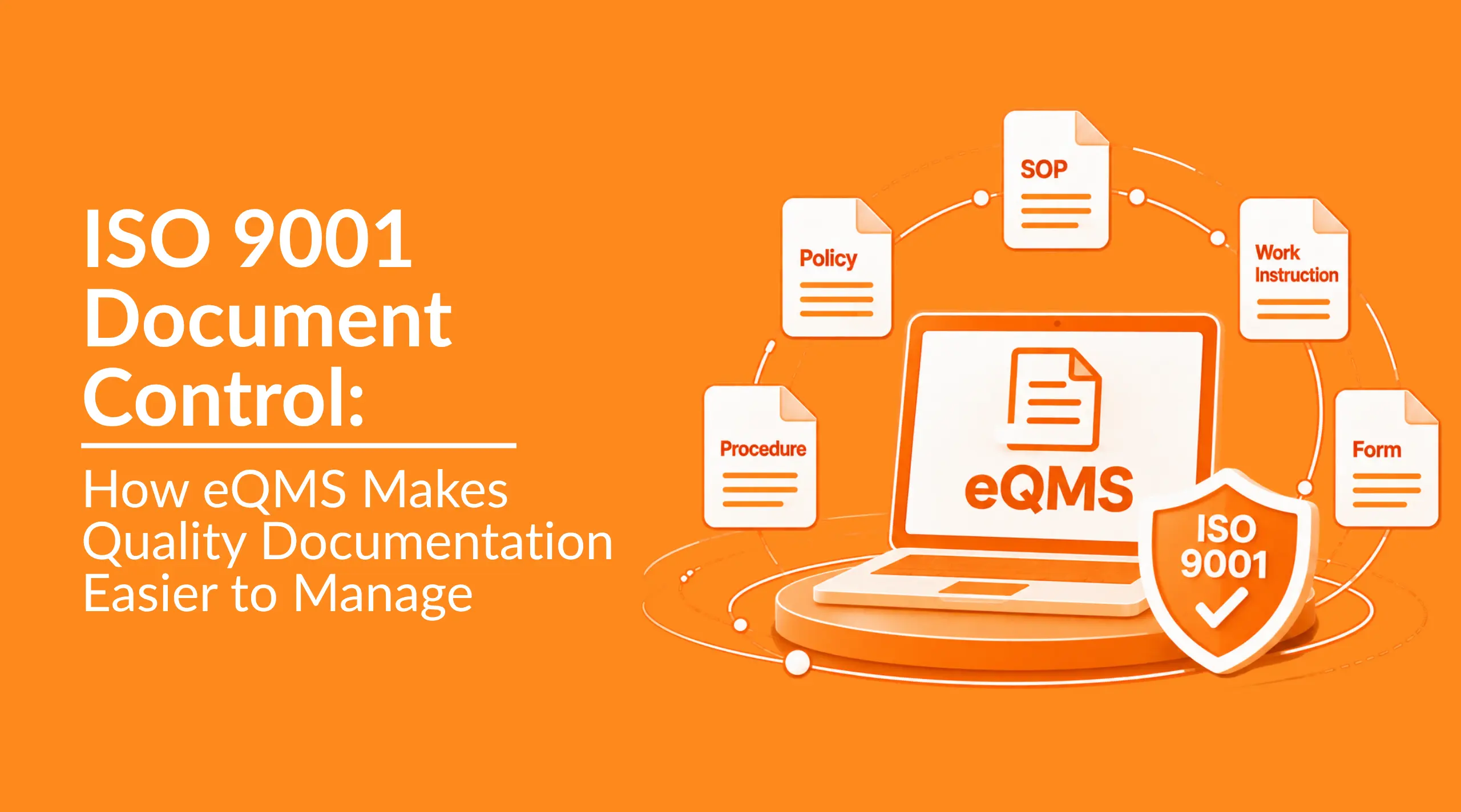
A procedure is revised, but an old copy remains in a shared folder. The new version has been approved, yet employees are unsure where to find it. During an audit, the quality team must show when the document changed, who approved it and what happened to the previous version.
This is a common document-control challenge.
Document control is not simply about storing files. It is about ensuring that the right information is created, reviewed, approved, available, updated, protected and retired in a controlled manner.
As an organization grows, managing quality documentation through shared folders, emails, spreadsheets and manual registers can become increasingly difficult. An electronic quality management system or eQMS, brings these activities into a more structured environment, helping quality teams manage documents throughout their lifecycle.
What Is Document Control in ISO 9001?
A document control is the process of managing quality-related documented information so that it remains accurate, current, accessible, protected and traceable.
ISO 9001 addresses documented information under Clause 7.5. The standard requires organizations to control the documented information needed for the effectiveness of their quality management system. ISO guidance confirms that documented information forming part of the QMS must be controlled in accordance with Clause 7.5.
ISO 9001 does not require an organization to use a particular software product or technology. A business may use paper-based methods, electronic folders, spreadsheets or specialized software, provided its method effectively controls documented information throughout its lifecycle.
Controlled quality documents may include:
- Quality policies.
- Procedures and standard operating procedures.
- Work instructions.
- Product and process specifications.
- Forms and templates.
- Quality manuals.
- Customer requirements.
- Regulatory information.
- External standards and technical references.
In practical terms, documents usually describe what should be done, while records provide evidence of what was done. A procedure or work instruction is a document; an inspection result, completed training record or audit report is a record. Both are forms of documented information and may require controls for access, protection, retention and disposal.
Effective ISO 9001 document control should help an organization:
- Identify the current approved version.
- Define document ownership and responsibilities.
- Route documents for review and approval.
- Record changes and revision history.
- Make documents available to authorized users.
- Prevent unintended use of obsolete versions.
- Retain previous versions when required.
- Retrieve document history during an audit.
In simple terms, document control helps ensure that employees use the right information at the right time.
Why Quality Documentation Becomes Difficult to Control
Document control becomes more complicated as an organization grows. More departments create documents, more employees need access to them and more revisions take place.
The challenge is often not the number of documents. It is the manual coordination required to keep those documents consistent and controlled.
1. Documents Are Stored in Multiple Locations
A quality procedure may exist in a shared folder and spreadsheets while another copy has been attached to an email, downloaded to a local computer or printed for use on the shop floor.
Even when the quality team maintains a master file, it can be difficult to know whether employees are still using an older version. External documents, such as customer specifications or regulatory references, can create additional control challenges when they are stored separately from the rest of the QMS.
2. Employees Cannot Easily Identify the Current Version
When several versions of an SOP exist, employees should not have to compare filenames or search through old emails to determine which document is approved. Without reliable version control, an outdated document may remain in use simply because it is still accessible.
3. Approvals Depend on Email and Manual Follow-Up
A revised procedure may be sent to a subject-matter expert for review and then forwarded to a quality manager for approval. If a reviewer is unavailable, the document may sit in an inbox for days. Someone then has to remember to follow up, update a register, replace the old file and notify affected employees. This becomes increasingly difficult when many documents are moving through approval at the same time.
4. Obsolete Documents Can Remain in Circulation
When a new revision is released, the previous version may still exist in downloaded files, email attachments, departmental folders or printed copies. Previous versions may need to be retained for historical, legal, contractual or operational reasons. The important point is to clearly identify their status and prevent them from being mistaken for documents currently approved for use.
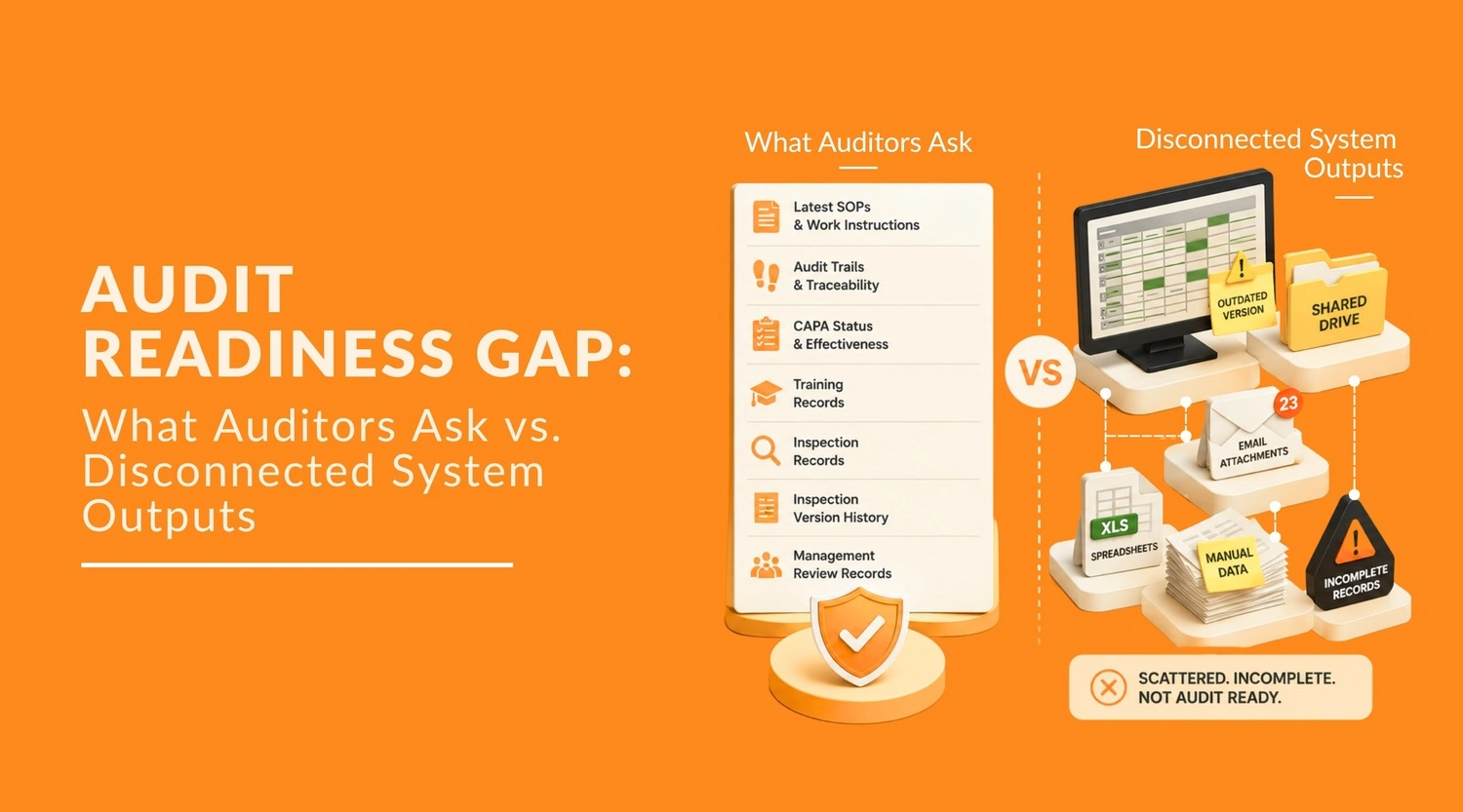
5. Audit Evidence Takes Too Long to Reconstruct
During an audit, the quality team may need to establish:
- Which version was approved.
- Who reviewed and approved it.
- When it became effective.
- What changed from the previous revision.
- Which users had access to it.
- What happened to the previous version.
- Whether affected employees received relevant training.
When this information is spread across folders, emails, spreadsheets and manual registers, reconstructing the document history can take unnecessary time. This is why quality document management needs to go beyond simply storing files.
How an eQMS Simplifies ISO 9001 Document Control
The value of eQMS software is not simply that it stores documents digitally. Its real value comes from controlling what happens to a document after it enters the quality system who can review it, which version is approved, when it becomes effective and what happens to the previous version.
This matters because document-control failures are often caused by gaps between activities rather than by the document itself. A procedure may be correctly written, but if an employee accesses an outdated copy, an approval is lost in email, or the revision history cannot be reconstructed, the organization has a control problem.
1. Centralized Documents Reduce Version Confusion
The cost of this fragmentation is measurable. McKinsey Global Institute research found that employees spend an average of 1.8 hours a day, or roughly 9.3 hours a week, simply searching for and gathering information time that scattered, uncontrolled documents make considerably worse.
This also supports a basic data-integrity principle: quality information should remain accurate, complete, traceable and available throughout its lifecycle. FDA guidance, for example, identifies these characteristics as important elements of reliable data and records.
For document control, that means the system should do more than provide storage. It should help establish which document is current, what its status is and how users access it.
2. Structured Approval Replaces Scattered Email Trails
Document approval is another area where manual processes create gaps. A revised SOP may move between the document owner, reviewer and approver through separate emails. If someone misses an email or an attachment is replaced, the organization has to reconstruct what happened.
An eQMS can place the review and approval steps into a defined workflow. The document moves through the required stages rather than relying on employees to remember who needs to review it next.
This is particularly useful when a document has several approval stages. Instead of asking “Has this version been approved?”, the organization can check its workflow status and associated history within the system.
3. Revision History Makes Changes Traceable
Document revision control is not just about naming files “Rev 01,” “Rev 02,” and “Final.” The organization needs to know what changed, when it changed and which version was approved.
An eQMS maintains revision history as part of the document lifecycle. This creates a clearer connection between the current document and its previous versions, rather than leaving the history dependent on manually maintained filenames or separate records.
That traceability becomes particularly valuable during an audit or internal review. Instead of searching through folders and emails to reconstruct a document’s history, the organization can review the controlled record within the system.
4. Obsolete Documents Can Be Controlled More Consistently
A revised document does not automatically make every old copy disappear. Previous versions may still exist in downloaded files, shared folders or printed work instructions.
A controlled document system can distinguish the current version from obsolete versions and maintain the historical record without presenting the obsolete document as the document employees should use.
The objective is therefore not simply to delete old information. It is to prevent an obsolete version from being mistaken for an active controlled document while preserving the history required for traceability.
5. Audit Evidence Can Be Reconstructed Faster
One of the practical differences between manual and digital document control becomes visible when someone asks for evidence.
Consider a simple audit question: “Show the current procedure, its previous revision, approval history and evidence that the revised version was released.”
This is not a hypothetical risk for Indian manufacturers. A 2026 analysis of FDA inspection data found that while data-integrity citation rates in warning letters have fallen industry-wide, they remain far higher for Indian facilities around 60% than for sites in China or the US, underscoring how much documentation control weighs on inspection outcomes for this region specifically.
With manual document control, answering this may involve searching folders, email conversations, approval messages, spreadsheets and archived files. With an eQMS, these activities can be maintained within a structured document lifecycle.
This does not make an organization compliant automatically. It makes the evidence of document control easier to organize, retrieve and trace.
6. Document Control Can Connect with Other Quality Activities
Quality documentation rarely operates in isolation. A revised procedure may require employee training; an audit finding may lead to a document change; a nonconformance may identify the need to revise an existing instruction.
An eQMS can bring these related activities into the same quality environment. For example, document control can work alongside training, audit, nonconformance, complaint and record management processes instead of leaving each activity in a separate system.
The result is a more connected quality documentation process: documents are not only stored and approved, but managed as part of the wider quality workflow.
Document Control and Document Management: What’s the Difference?
Document management and document control are closely related, but they are not the same.
| Document management | Document control |
|---|---|
| Organizes and stores documents. | Governs controlled documents throughout their lifecycle. |
| Helps users find and access information. | Controls how documents are created, reviewed, approved, revised and retired. |
| Focuses on storage and retrieval. | Focuses on document status, authorization, revision and use. |
| Supports everyday document handling. | Supports quality-related document processes. |
| May apply to many types of business information. | Primarily governs information that must remain controlled. |
A document management system helps an organization store organize, search and retrieve information. Document control adds governance around controlled information and how it moves through its lifecycle.
In simple terms:
Document management helps you find a document. Document control helps ensure that you are using the right document. For quality teams, combining both capabilities provides a more structured approach to quality documentation.
What to Look for in Document Control Software
A practical software evaluation should involve your real documents and workflows rather than relying entirely on a vendor presentation. Ask the vendor to demonstrate a complete document lifecycle using one of your actual SOPs, policies or work instructions.
A practical demonstration should include:
- Creating or uploading a controlled quality document.
- Assigning the appropriate document owner, reviewer and approver.
- Routing the document through review and approval.
- Setting an effective date.
- Releasing the approved version for use.
- Creating a new revision and recording the reason for change.
- Identifying the current and previous versions.
- Controlling access for different types of users.
- Searching for the document using realistic information.
- Reviewing its activity, approval and revision history.
- Marking the previous version as obsolete.
- Showing how affected employees are notified or trained.
Pay attention to how many manual steps are involved and whether users need to move between multiple systems. A useful document-control solution should make the lifecycle easier to manage. It should not simply digitize a process that already depends on unnecessary emails, spreadsheets and manual follow-up.
How Pyraman Supports Document Control
Pyraman brings document control into a centralized eQMS software environment through its Document Management System (DMS). It helps quality teams manage controlled documents and revisions without relying on scattered folders, email chains and manual tracking.
Because Pyraman is a broader QMS platform, document management can also connect with related quality processes such as Records management, Audits management, Non-conformances management, Training management and Complaints management. This gives teams a more connected way to manage the quality information that supports their day-to-day operations.
Instead of treating quality documents as standalone files, Pyraman provides a structured environment where documentation can be managed as part of the wider quality management system.
Book your free personalized Pyraman eQMS demo today and see how Pyraman can make your quality documentation easier to control, manage and retrieve.
Frequently Asked Questions
1. Can ISO 9001 document control be managed without an eQMS?
Yes. ISO 9001 does not require an eQMS or any particular software product. An organization can use manual or basic electronic methods, provided its process effectively controls documented information.
As the volume of documents, users, revisions and approval activities increases, maintaining everything manually can become more difficult.
2. What is the difference between a controlled and uncontrolled document?
A controlled document is managed through a defined process that governs its approval, revision, access, status and distribution.
An uncontrolled copy may be provided for reference, but it is not necessarily maintained as the current approved version. Uncontrolled copies should be clearly identified so they are not mistaken for documents approved for operational use.
3. Should obsolete documents be deleted or retained?
Not necessarily. Previous versions may need to be retained for historical, legal, contractual, regulatory or operational reasons.
The important consideration is that obsolete versions are clearly identified, protected from unintended use and distinguishable from the current approved document.
4. How often should quality documents be reviewed?
There is no universal requirement that every document must be reviewed at one fixed interval. Review frequency should reflect the organization’s processes, risks, changes and applicable requirements.
A review may be triggered when processes, equipment, responsibilities, customer requirements, regulations or other operating conditions change.
5. Who should be responsible for document control?
Responsibility depends on the organization’s structure.
The quality function may coordinate the overall document-control process, while individual process owners may be responsible for the accuracy and relevance of specific documents. Responsibilities for creating, reviewing, approving, releasing, revising and retiring documents should be clearly defined.
6. Can existing Word and Excel documents be moved into an eQMS?
Yes. Existing electronic quality documents can generally be reviewed and migrated into an eQMS, depending on the platform and implementation approach.
Migration is also an opportunity to identify obsolete, duplicate, incomplete or ownerless files before bringing documents under formal control.
7. What happens to document history when a document is revised?
A properly controlled revision should preserve information about the previous version and the change made.
Depending on the system, the history may show previous versions, revision reasons, review activity, approvals, effective dates and document status.
8. Does ISO 9001 require electronic document-management software?
No. ISO 9001 specifies requirements for controlling documented information but does not prescribe a particular software product or technology.
An organization can choose manual, electronic or software-supported methods based on its processes, risks, size and needs. The key consideration is whether the chosen approach provides effective control throughout the document lifecycle.
9. Manage Quality Documents with Greater Control
Document control becomes difficult when quality information is scattered across folders, emails, spreadsheets and printed copies.
An eQMS can provide a more consistent way to manage document creation, review, approval, revision, access, training and obsolescence. It can also help connect controlled documents with audits, records, non-conformances, complaints and other quality processes.
Pyraman helps organizations bring these activities together in one centralized QMS and EHS environment.
Start your free 30-day Pyraman eQMS trial and explore document control, audits, records, training and compliance management in one platform.

Start Your Free 30-Day eQMS Trial
Get full access to Pyraman eQMS for 30 days, free. No commitment, just hands-on document control, audits, and compliance management.
